Managing a remote team comes with challenges. You know employees are logging their hours, but understanding how they spend that time isn’t always straightforward.
That’s where employee screenshot monitoring comes in.
Screenshot monitoring software captures images of employees’ computer screens during working hours. It helps managers understand digital work activities, review project progress and identify potential workflow issues.
However, screenshots don’t always tell the complete story. An employee reading a document may appear inactive while doing important research. Monitoring can also raise privacy concerns when businesses collect more information than necessary.
So, how can employers use screenshot monitoring without damaging employee trust?
This guide explains how screenshot monitoring works, its benefits, limitations and responsible monitoring practices.
What Is Employee Screenshot Monitoring?
Employee screenshot monitoring is a workplace tracking method that captures images of employees’ computer screens during designated working hours.
Employers use these screenshots to understand digital activity, review time records and gain additional context about work-related tasks.
How Does Employee Screenshot Monitoring Work?
Screenshot monitoring software typically operates through a desktop application installed on an employee’s computer.
Once an authorised work session begins, the software captures screen images based on the company’s configured settings.
The process generally involves five steps:
-
Start tracking: Employees begin their monitored work session.
-
Capture screenshots: The software takes images at configured intervals.
-
Record timestamps: Screenshots are associated with specific times and work sessions.
-
Store images: Captured images are saved according to the system’s security and retention settings.
-
Review activity: Authorised managers review relevant screenshots alongside work records.
Some platforms offer blurred screenshots, adjustable capture intervals and options to disable monitoring.
These controls help businesses limit unnecessary data collection.
What Can Employee Screenshot Monitoring Software Track?
Employee screenshot monitoring software captures visual information displayed on employees’ computer screens during tracked working hours. Depending on the platform, screenshots may show open applications, websites, documents and project management tools. Some systems also record timestamps and connect images with employee time records. Advanced features may include automatic screenshots, random captures and screen blurring.
Why Do Employers Use Screenshot Monitoring?
Businesses introduce screenshot monitoring for different reasons. However, its value depends on how managers interpret the information.
1. Understand Employee Work Activity
Screenshots provide limited visual context about the applications and tools employees use.
For example, a designer’s screenshot may show Adobe Photoshop, while a developer’s may show a coding environment.
Managers can compare this information with assigned work rather than relying on images alone.
2. Review Project Time Records
Some businesses use screenshots alongside project time tracking to investigate differences between estimated and recorded hours.
For example, an agency may review additional information when a client project takes longer than expected.
However, project reports and employee feedback should remain central to the review.
Types of Employee Screenshot Monitoring
Different monitoring methods provide different levels of visibility.
Automatic Screenshot Monitoring
Automatic monitoring captures screen images during authorised work sessions.
Businesses can configure intervals depending on the software’s available features.
However, frequent screenshots may collect unnecessary personal information.
Random Screenshot Monitoring
Random screenshot monitoring captures images at varying times instead of following a fixed schedule.
These images provide occasional activity snapshots rather than a complete record of work.
Employees should still understand when and why monitoring occurs.
Blurred Screenshot Monitoring
Blurred screenshots reduce the visibility of on-screen text and other details.
For example, managers may identify which application is open without clearly seeing its contents.
Blurring can reduce privacy risks, although it doesn’t guarantee complete protection.
Manual Screenshot Monitoring
Employees manually capture and share images for specific purposes, such as documenting a completed task or reporting a technical problem.
This approach may be more appropriate when continuous or automatic monitoring isn’t necessary.
Is Employee Screenshot Monitoring Legal?
Employee screenshot monitoring can be lawful in the UK, but businesses must follow relevant data protection and employment requirements.
The UK’s Information Commissioner’s Office (ICO) advises employers to ensure workplace monitoring is lawful, fair, transparent, necessary and proportionate.
Employers should consider several responsibilities before collecting screenshots.
Establish a lawful basis: Businesses need an appropriate legal basis under the UK GDPR for processing employee monitoring data.
Explain the monitoring: Employees should understand what information is collected, why it is needed and how it will be used.
Assess privacy risks: A Data Protection Impact Assessment (DPIA) is required when processing is likely to create a high risk to individuals’ rights and freedoms.
Protect sensitive information: Screenshots may capture personal messages, customer details or confidential documents.
Restrict access: Only authorised employees with a legitimate reason should access screenshot records.
Define retention periods: Businesses should not store screenshots longer than necessary for their stated purpose.
Employee consent isn’t automatically the appropriate legal basis because employees may not feel free to refuse monitoring.
Employers should consult the ICO guidance on monitoring workers before introducing a monitoring system.
How to Monitor Employee Screenshots Responsibly
Responsible screenshot monitoring starts with clear policies and sensible configuration.
1. Define Your Monitoring Purpose
Decide why screenshots are necessary. If ordinary time records provide enough information, collecting screenshots may be unnecessary.
2. Inform Employees Before Monitoring
Explain which activities are monitored and when screenshot capture occurs.
Employees should understand who can review their information and how long it is stored.
Clear communication helps avoid confusion and supports workplace trust.
3. Choose Appropriate Capture Settings
Avoid collecting screenshots more frequently than necessary.
Where available, consider blurred images, restricted capture periods and options to pause monitoring.
The settings should match the business purpose.
4. Protect Employee Privacy
Screenshots may capture confidential information even when monitoring occurs during working hours.
Businesses should introduce safeguards to reduce unnecessary collection and restrict access to sensitive records.
5. Review Screenshots With Work Outcomes
A screenshot showing a work-related application doesn’t automatically prove productivity.
Managers should also examine completed assignments, project deadlines and work quality.
Employee explanations can provide important context.
6. Review Monitoring Policies Regularly
Monitoring arrangements should change when business needs change.
If screenshot collection no longer serves a necessary purpose, employers should reduce or discontinue it.
Screenshot Monitoring vs Activity Tracking
Screenshot monitoring and activity tracking are related, but they provide different information.
Screenshot monitoring captures images of computer screens at selected moments.
Activity tracking measures detected keyboard or mouse interaction, application usage or periods without input.
For example, idle time tracking may identify 15 minutes without keyboard activity.
A screenshot might show an employee reading a project document during that period.
Neither measurement alone establishes whether the employee was working productively.
Managers should combine relevant information with project outcomes and employee feedback. New blog get here.
How Staff Time Tracker Supports Screenshot Monitoring
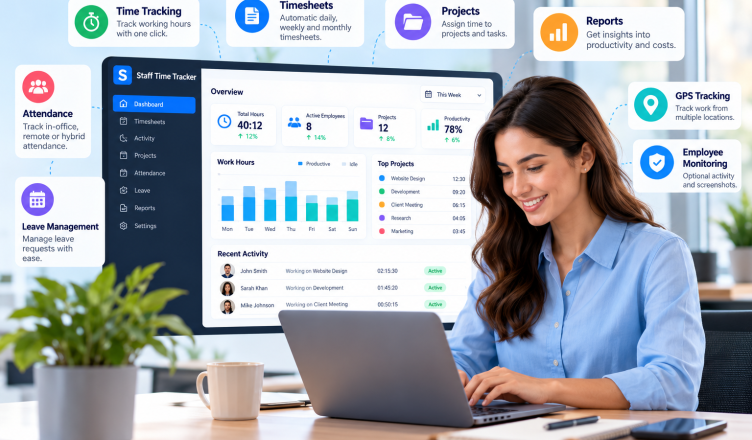
Staff Time Tracker provides employee time tracking, activity monitoring and workforce reporting tools for remote, hybrid and office-based teams.
Its screenshot monitoring capabilities are designed to provide additional context about digital work activity.
Configurable Screenshot Monitoring
Staff Time Tracker offers adjustable screenshot capture settings, allowing businesses to configure monitoring according to their requirements.
Blurred Screenshot Options
Screenshot blurring helps reduce the visibility of potentially sensitive on-screen information.
Employers should still assess whether collecting images is necessary.
Optional Screenshot Capture
Businesses can disable screenshot monitoring when it isn’t needed.
This allows teams to use other time tracking features without automatically collecting screen images.
Connected Activity Reports
Staff Time Tracker combines screenshots with employee app and URL tracking and working-hour records.
Managers can review relevant information alongside broader workforce analytics.
These features support informed reviews, but employers remain responsible for selecting lawful and proportionate monitoring practices.
Common Screenshot Monitoring Mistakes to Avoid
Capturing too many screenshots: Frequent captures may create unnecessary privacy risks without improving work reviews.
Assuming screenshots prove productivity: An image doesn’t show the quality or value of completed work.
Ignoring employee privacy: Screen images may reveal personal information or confidential documents.
Monitoring without transparency: Employees should generally know what monitoring takes place and why.
Relying only on monitoring data: Managers should consider actual work results and employee feedback.
Frequently Asked Questions
What is employee screenshot monitoring?
Employee screenshot monitoring captures images of employees’ computer screens during designated working periods. Businesses may use it to review digital activity and support specific work-related investigations.
Can employers take screenshots of employees’ computers?
Employers may capture screenshots when monitoring is lawfully justified and appropriate safeguards are in place. Owning a device doesn’t automatically permit unrestricted monitoring.
Does screenshot monitoring improve productivity?
Screenshot monitoring doesn’t automatically improve productivity. It may provide additional work context, but managers should assess performance using completed tasks, work quality and relevant outcomes.
Final Thoughts
Employee screenshot monitoring can provide additional information about digital work, but collecting more screenshots doesn’t necessarily lead to better management.
A screen image captures one moment. It cannot fully explain employee effort, work quality or completed tasks.
Employers should first consider whether screenshots are necessary. When justified, monitoring should be transparent, limited and supported by appropriate privacy controls.
Staff Time Tracker offers configurable screenshot monitoring alongside time tracking, app usage reports and workforce analytics.
Explore Staff Time Tracker to understand how its workforce management tools can support responsible monitoring and more informed decisions.